

Smart Garage Door Accessories in Parker, CO – Control, Security & Convenience
Smart garage door accessories let Parker, CO homeowners open, close, and monitor their garage from a phone, voice assistant, or automated routine. Select Garage Doors helps local homeowners choose and install the right smart accessories for reliable convenience and connectivity in Colorado’s climate.
If you have ever pulled out of your Parker driveway and spent the next ten minutes wondering whether you closed the garage, smart accessories solve that problem permanently. A quick glance at your phone confirms the door is shut, or you tap once to close it from miles away. For homeowners across the Denver metro area, that kind of daily convenience is the real reason smart garage technology keeps growing in popularity.
Select Garage Doors installs and configures smart garage accessories for Parker homes with attached garages, detached shops, and multi-bay setups. This guide covers the specific convenience and connectivity features that make the biggest difference in everyday life, from app-based control and voice commands to geofencing, automation routines, and the wireless protocols that tie everything together.
Smart Accessories That Improve Daily Convenience and Connectivity
How Does App-Based Garage Door Control Work?
A smart garage controller connects to your home Wi-Fi and pairs with a smartphone app, giving you the ability to open, close, and check your garage door status from anywhere with a cellular or internet connection. Most Parker homeowners set this up in under 30 minutes, and the controller mounts directly to the existing opener’s rail or ceiling bracket.
The controller communicates with a sensor placed on the garage door itself. That sensor detects whether the door is open or closed and relays the status to the app in real time. When you tap “close” in the app, the controller triggers your existing opener motor just like pressing the wall button would. Platforms like myQ, Meross, and iSmartGate all follow this basic approach, though they differ in which smart home ecosystems they support.
For Parker homes with multiple garage bays, most apps let you manage two or three doors from a single screen. You can see at a glance which doors are open and close them individually or all at once. That matters on busy mornings when the whole household is leaving at different times.
Real-time push notifications round out the app experience. You can set alerts for any time the door opens, closes, or stays open past a set time limit. If someone opens the garage at 2 a.m., your phone buzzes immediately. If the door has been open for 20 minutes with no activity, you get a reminder to check on it.
Can You Control a Garage Door With Alexa, Google Home, or Siri?
Yes. Most smart garage controllers work with at least one major voice assistant, and many support all three. Voice control lets you open or close the garage hands-free while carrying groceries, working in the yard, or getting ready to leave your Parker home.
Amazon Alexa and Google Assistant offer the broadest compatibility. With Alexa, you can say “Alexa, close the garage door” and the command routes through your Wi-Fi network to the controller. Google Assistant works the same way through Nest speakers or the Google Home app. Both platforms also allow you to include garage door actions in multi-step routines, so saying “Good night” can lock the front door, turn off lights, and close the garage all at once.
Apple HomeKit support is less common but available on select controllers like the iSmartGate and through Chamberlain’s myQ Home Bridge accessory. HomeKit integration means Siri voice commands work, and you can include garage door controls in Apple Home automations. For households already invested in the Apple ecosystem, HomeKit compatibility is worth prioritizing.
One important note for Parker homeowners in HOA communities: voice-activated closing still sends a standard radio signal to the opener. There is no additional noise or external hardware change, so it will not conflict with community appearance guidelines.
What Is Geofencing and How Does It Automate Your Garage Door?
Geofencing uses your phone’s GPS to create a virtual boundary around your home. When you cross that boundary arriving or leaving, the garage door opens or closes automatically, with no tapping, no voice commands, and no forgetting.
You set a radius (typically 200 to 1,000 feet) around your Parker address. When the app detects your phone entering that zone, it triggers the “open” command. When you leave the zone, it triggers “close.” The experience feels almost invisible after a few days of use. You pull into the driveway and the door is already rising.
Geofencing is especially useful during Colorado winters. Instead of sitting in a cold car fumbling for a remote or waiting for an app to load, the door opens as you approach. It also eliminates the most common security gap: leaving the door open by accident when you drive away distracted.
Multi-user geofencing adds another layer of intelligence. In households with multiple phones registered, most apps can be set to close the door only after the last person leaves, and open it when the first person arrives. That prevents the door from cycling open and closed every time a family member comes or goes within minutes of each other.
How Do Automation Routines Simplify Your Daily Schedule?
Automation routines let you program your garage door to follow a schedule or respond to triggers from other smart devices. Parker homeowners use routines for timed closings, departure sequences, and coordinated actions with lights, locks, and thermostats.
The simplest routine is a scheduled close. You set the garage door to close automatically at 10 p.m. every night regardless of what else happens. If it is already closed, nothing changes. If someone left it open, the system handles it. That single automation prevents the most common security oversight in suburban homes with attached garages.
More advanced routines chain multiple actions together. A “leaving home” routine might close the garage, lock the smart deadbolt, lower the thermostat, and arm the security system, all triggered by a single voice command or a geofence departure. A “coming home” routine reverses those actions. These multi-device routines work through platforms like Amazon Alexa Routines, Google Home Automations, or Apple HomeKit Scenes.
For Parker families juggling school drop-offs, work commutes, and after-school activities, a well-built set of routines removes several small daily decisions. The garage simply does what it should, when it should, without anyone thinking about it.
How Does Multi-User Access Work for Families and Guests?
Smart garage controllers let you invite multiple users to the same app account, each with their own login, permissions, and activity log. This gives every household member independent control and lets you grant temporary access to visitors, contractors, or delivery drivers without sharing a physical remote.
Most platforms support a primary account holder who can add secondary users. Those users download the same app and get their own credentials. The primary account holder can typically set permission levels: full access, scheduled access (only during certain hours), or one-time access that expires after a single use.
Temporary access is one of the most practical features for Parker homeowners. If a dog walker needs to enter through the garage every weekday at noon, you can set a recurring schedule that grants access only during that window. If a contractor needs in once for a repair, you generate a one-time code or send a temporary app invitation. When the job is done, access disappears automatically.
Activity logs track every open and close event along with which user triggered it. That transparency is valuable for families with teenagers who are coming and going independently, and it gives you a clear record if anything unusual happens.
Which Wireless Protocol Should You Choose: Wi-Fi, Bluetooth, or Z-Wave?
Wi-Fi is the most common and practical choice for most Parker homeowners because it enables remote access from anywhere. Bluetooth offers local-only control with lower power draw, and Z-Wave provides reliable mesh networking for homes with extensive smart device setups.
| Feature | Wi-Fi | Bluetooth | Z-Wave |
|---|---|---|---|
| Remote access from anywhere | Yes | No (local only, ~30 ft range) | Yes (via Z-Wave hub) |
| Voice assistant support | Alexa, Google, Siri | Limited | Alexa, Google (via hub) |
| Geofencing support | Yes (built into most apps) | No | Yes (via hub automations) |
| Setup difficulty | Easy (app-guided) | Very easy | Moderate (requires hub) |
| Works during internet outage | No remote access | Yes (local control) | Yes (local mesh network) |
| Best for | Most homeowners wanting remote control | Simple local control, low power | Whole-home smart systems with many devices |
Wi-Fi controllers dominate the market because they deliver the widest feature set with the simplest setup. If your Parker home has reliable Wi-Fi that reaches the garage, a Wi-Fi-based controller is the straightforward choice. Most attached garages in Parker subdivisions sit close enough to the main router, but detached garages or homes with thick stucco walls may need a Wi-Fi extender.
Z-Wave is worth considering if you already run a smart home hub like SmartThings or Hubitat. Z-Wave devices form a mesh network, meaning each device strengthens the signal for others. In larger Parker homes, that mesh can be more reliable than a single Wi-Fi access point. Z-Wave also operates on a different radio frequency than Wi-Fi, so it avoids congestion from streaming devices and laptops.
Bluetooth controllers are the simplest option but the most limited. They work only when your phone is within about 30 feet. For a quick, inexpensive upgrade that lets you open the garage from the driveway without a remote, Bluetooth gets the job done. But it will not give you remote monitoring, geofencing, or voice control.
When to Upgrade Your Garage Door Accessories
Not every garage needs a full smart overhaul. But certain situations make the upgrade especially worthwhile for Parker homeowners.
If you regularly forget to close the garage door, a smart controller with scheduled auto-close pays for itself in peace of mind. If you have kids arriving home before you do, multi-user app access lets them enter safely while you monitor the activity log from work. If you are already using Alexa, Google Home, or HomeKit for other devices, adding the garage door to that system takes minutes and fills a meaningful gap in your smart home setup.
Homes in Parker HOA communities benefit from smart accessories that keep garage doors closed when they should be. Several local HOAs include garage door appearance standards in their covenants, and a door that auto-closes after a set time prevents accidental violations.
Colorado’s temperature swings also factor in. A garage that stays open too long in January lets freezing air reach interior walls and plumbing. Automated closing protects against that without relying on anyone to remember. In summer, push notifications alert you if the door has been open long enough to let heat and dust into the space.
If your current garage door opener is more than 10 years old, it may not support smart add-ons reliably. In that case, upgrading to a new opener with built-in smart connectivity is more practical than layering a controller onto aging hardware. Select Garage Doors can assess your current setup and recommend whether a smart accessory retrofit or a full opener installation makes more sense.
Smarter Garage Access for Parker Homeowners
Smart garage accessories are not about novelty. They solve real daily friction points: forgotten doors, lost remotes, awkward timing, and the inability to let someone in when you are not home. For Parker homeowners looking to add convenience and connectivity to their garage, the right combination of controller, protocol, and automation makes a noticeable difference within the first week.
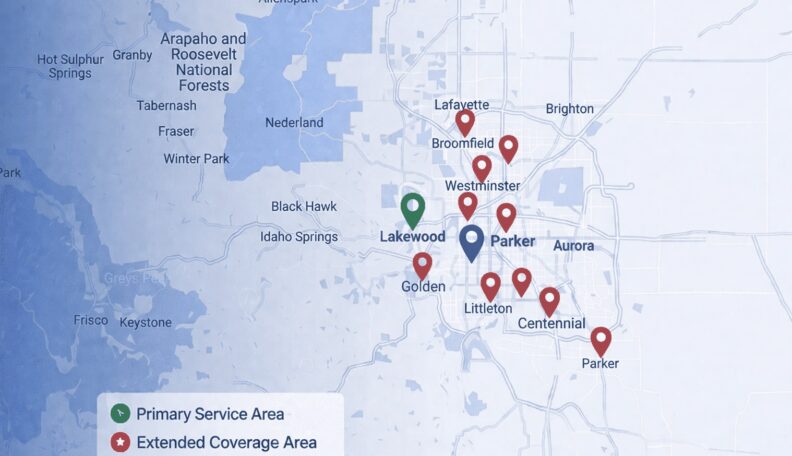
Select Garage Doors helps homeowners across the Denver metro area choose, install, and configure smart garage door accessories that work with their existing setup and smart home platform. We serve Parker, Castle Rock, Greenwood Village, Lakewood, and the greater Denver metro area.
Call 720-339-2442 to schedule a consultation on smart garage upgrades for your Parker home.
Frequently Asked Questions
Do smart garage door accessories work with any opener?
Most smart controllers work with any garage door opener manufactured after 1993 that uses standard safety sensors. Very old chain-drive units or openers without safety-reverse features may not be compatible.
Will smart garage accessories work if my Wi-Fi goes out?
You lose remote access and notifications during a Wi-Fi outage, but the physical wall button, remotes, and keypad still operate normally. Z-Wave controllers on a local hub maintain some automation even without internet.
Can I install a smart garage controller myself?
Yes, most Wi-Fi controllers mount with adhesive strips and plug into a standard outlet. Setup takes about 20 to 30 minutes. If you want integration with a Z-Wave hub or a new opener, Select Garage Doors can handle the installation and configuration in Parker.
Is it safe to open your garage door remotely?
Smart controllers use encrypted connections between the app and device. Set up push notifications so you are alerted any time the door opens, and use temporary access codes instead of sharing your main login.
How much do smart garage door accessories cost in Parker, CO?
Professional installation and configuration costs vary depending on your opener model and the number of doors. Call 720-339-2442 for a specific estimate.

Looking for a deal?
Call us or to learn about our current promotions and seasonal offers.


Service Area: 50+ Cities Across Metro Denver
Select Your Nearest Location
Hours: Mon-Fri 8am-5pm
Sunday Emergency Only
Avg Response Time: 18 minutes
Hours: Mon-Fri 8am-5pm
Sunday Emergency Only
Avg Response Time: 18 minutes
Hours: Mon-Fri 8am-5pm
Sunday Emergency Only
Avg Response Time: 18 minutes
Hours: Mon-Fri 8am-5pm
Sunday Emergency Only
Avg Response Time: 18 minutes
Hours: Mon-Fri 8am-5pm
Sunday Emergency Only
Avg Response Time: 18 minutes
Hours: Mon-Fri 8am-5pm
Sunday Emergency Only
Avg Response Time: 18 minutes
Hours: Mon-Fri 8am-5pm
Sunday Emergency Only
Avg Response Time: 18 minutes
Hours: Mon-Fri 8am-5pm
Sunday Emergency Only
Avg Response Time: 18 minutes
Hours: Mon-Fri 8am-5pm
Sunday Emergency Only
Avg Response Time: 18 minutes
Hours: Mon-Fri 8am-5pm
Sunday Emergency Only
Avg Response Time: 18 minutes
Hours: Mon-Fri 8am-5pm
Sunday Emergency Only
Avg Response Time: 18 minutes
Hours: Mon-Fri 8am-5pm
Sunday Emergency Only
Avg Response Time: 18 minutes
Hours: Mon-Fri 8am-5pm
Sunday Emergency Only
Avg Response Time: 18 minutes
Hours: Mon-Fri 8am-5pm
Sunday Emergency Only
Avg Response Time: 18 minutes
Hours: Mon-Fri 8am-5pm
Sunday Emergency Only
Avg Response Time: 18 minutes
We Service: Parker, Castle Rock, Greenwood Village, Lakewood, Littleton, Centennial, Highlands Ranch 40+ More Cities