


Essential Accessories for Your Parker Garage Door Opener
Convenience Upgrades Ranked
The five accessories below sit at the intersection of “easy to install” and “you’ll notice the difference daily.” They’re the upgrades Parker, CO homeowners actually keep using a year later, not the ones that end up in a junk drawer.
A garage door opener is one of those quiet pieces of home tech that you barely think about until a small upgrade reminds you what it could be doing for you. Smart hubs, keypads, sensors, battery backups, and decent lighting are all cheap on their own. Together, they turn a single-purpose motor on the ceiling into a system that integrates with your phone, your home automation, your power grid, and your nighttime walk into the kitchen.
At Select Garage Doors, we install these accessories across Parker, CO and the wider Denver Metro area, and we see which ones become daily habits and which ones go unused. The five below earn their place every time. The article ranks them by daily convenience gain, not by retail price.
Want a technician to install all five at once and save the trip charge? Contact us today and we’ll bundle the work into a single visit.
The Smart Hub That Replaces Your Keychain
A smart hub (myQ for LiftMaster and Chamberlain, Aladdin Connect for Genie, equivalents for other brands) connects your opener to your phone over Wi-Fi. From there, you can open or close the door from anywhere, get real-time alerts when the door cycles, set automation rules (auto-close at 10 p.m., open when your car pulls into the driveway), and integrate with Google Home, Alexa, or Apple HomeKit through a manufacturer bridge.
How it works: the hub plugs into a wall outlet near the opener and pairs through the manufacturer’s app. Setup takes 15 to 20 minutes. Most installations don’t require any wiring to the opener itself.
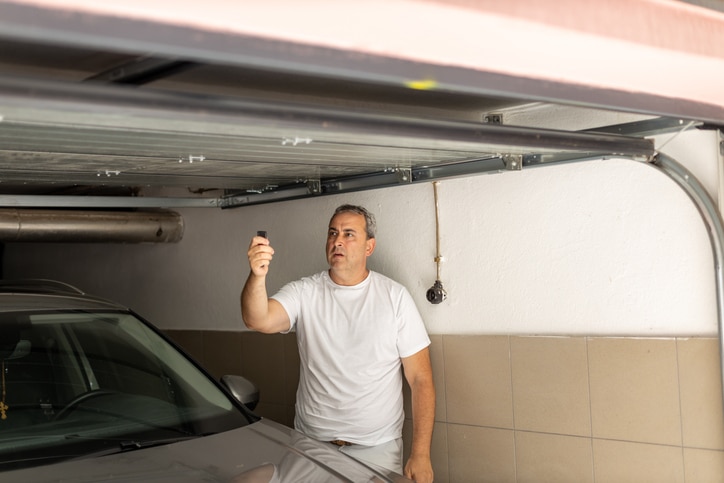
The convenience win: you stop thinking about whether you closed the door. The app tells you, and you can close it remotely if you didn’t. That alone is worth the upgrade for most households.
The Keypad That Makes Keys Optional
A wireless keypad mounts outside the garage and lets you enter a 4-digit PIN to open the door. No phone, no key, no remote needed. Multiple PIN codes can be assigned for family members, contractors, and house sitters, with the ability to set time-limited codes that expire automatically.
How it works: the keypad is battery-powered (one set of AA batteries lasts a year or two), mounts with screws or strong adhesive, and pairs to the opener through a learn-button sequence. No external wiring needed.
The convenience win: you stop carrying garage remotes in your gym bag, on your bike, or on your morning run. The keypad becomes the always-available entry point.
The Sensors That Make the Door Pause for People and Pets
Photo-eye sensors at the base of each track are required by UL 325 safety standards on any opener manufactured after 1993, but upgraded sensor packages and smart obstruction detection go beyond the baseline. Modern systems can send a phone alert when an obstruction is detected, log the event, and pair with cameras for visual confirmation.
How it works: upgraded sensors replace the original pair at the bottom of each track. Installation involves disconnecting the existing sensor wires and connecting the new sensor terminals to the opener.
The convenience win: for households with kids, pets, or anyone who tends to walk through the closing door, the upgrade adds a layer of certainty that the door will reverse on contact every time and not just most of the time.
The Battery Backup That Keeps You In Even When Power’s Out
A battery backup keeps the opener functional during power outages. In Parker and the wider Front Range, hail storms, snow storms, and grid events can cut power for hours at a time. Without a backup, you’re stuck either lifting the door manually (heavier than most people expect) or unable to leave the garage at all.
How it works: the backup is a battery pack that wires into the opener motor. Some openers ship with backup ports built in; others require a brand-matched accessory module.
The convenience win: the door opens normally during an outage. You don’t think about power events as garage events anymore. For Parker households dealing with seasonal storms, this is the upgrade with the most predictable real-world payoff.
The LED Upgrade That Lights the Garage Like Daylight
The light bulb sitting in the opener housing has the worst job in your home: cycling on briefly, dozens of times a day, in a vibration-prone environment. Standard incandescent bulbs burn out fast under those conditions. LED bulbs designed for garage doors handle the vibration, last 10 to 15 years, and produce 3 to 4 times the light output of the original bulb.
How it works: the LED bulb screws into the existing opener socket the same way a standard bulb does. Some opener brands require LED bulbs specifically rated for garage door openers (not all LEDs handle the vibration).
The convenience win: the garage stops feeling like a cave at night. Add a motion-activated LED in the corner of the garage for full coverage even after the opener light times out.
What Each Accessory Actually Changes
The table below maps each garage door accessory to the specific daily friction it removes from your life.
| Without the Accessory | With the Accessory |
|---|---|
| You drive back to the house wondering if you left the door open | Your phone tells you the door is closed, or you close it from anywhere (smart hub) |
| You carry a remote on your run, bike, or trip out | You enter a 4-digit PIN on the keypad and walk in (wireless keypad) |
| You hope the door reverses when something’s in the way | Upgraded sensors confirm the door reversed and log the event (smart sensors) |
| You’re stuck in or out of the garage during a power outage | The opener runs on battery power for hours (battery backup) |
| The garage is dim at night and the bulb keeps burning out | Bright daylight-level lighting that lasts 10+ years (LED bulbs) |
The payback on smart hubs and battery backups alone is typically under 2 years through avoided trips home and avoided emergency manual operations during outages.
Setup Time vs. ROI
Knowing which accessory to install first comes down to how much time you have and what daily friction you most want to remove. The groupings below sort the five accessories by where they fit on the effort-vs-reward map.
Install first if you want the biggest convenience win in 30 minutes:
- Smart hub (15 to 20 minutes, biggest daily impact)
- Wireless keypad (20 to 30 minutes, frees you from remote-carrying)
- LED bulb upgrade (5 minutes, immediate visibility improvement)
Install when you have a free afternoon or a technician visit:
- Battery backup (30 to 60 minutes, brand-matched module recommended)
- Upgraded smart sensors (30 to 45 minutes, requires sensor wiring)
Bundle all five during a single service visit:
- Lower trip cost when scheduled together
- One technician test cycle covers all five integrations
- Full system upgrade in under 2 hours of pro time
Pick the Upgrade You’ll Actually Notice Tomorrow Morning
Of the five accessories above, smart hubs and battery backups deliver the highest day-to-day convenience improvement in a Parker home; keypads and LED bulbs deliver the fastest setup-to-payoff ratio. If you’d like all five installed in one visit or want to walk through which combination makes sense for your specific opener, give us a call at Select Garage Doors on (720) 339-2442 and we’ll bundle the work and the price into a single appointment.
Frequently Asked Questions
Which garage door opener accessory delivers the biggest daily convenience improvement?
A smart hub like myQ or Aladdin Connect. The “did I close the garage?” anxiety disappears, which is the single biggest mental-load win across the five accessories.
Can I install all five accessories myself, or do I need a technician?
Smart hubs, wireless keypads, and LED bulbs are reasonable DIY for most homeowners. Battery backups and upgraded smart sensors involve wiring to the opener and benefit from a technician’s install for warranty and safety reasons. Bundling all five into one professional visit usually beats DIY on time and total cost.
Will these accessories work with my existing opener?
Most accessories work with LiftMaster, Chamberlain, and Genie openers manufactured in the last 15 to 20 years. Older openers may lack the learn button or proprietary port needed for smart hubs and battery backups. If your opener is 20-plus years old, replacement before adding accessories often makes more sense than retrofitting.



Looking for a deal?
Call us or to learn about our current promotions and seasonal offers.



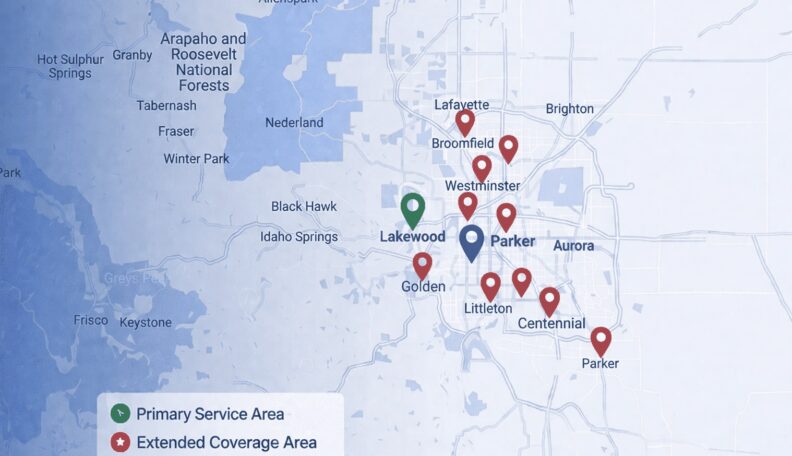
Service Area: 50+ Cities Across Metro Denver
Select Your Nearest Location
Hours: Mon-Fri 8am-5pm
Sunday Emergency Only
Avg Response Time: 18 minutes
Hours: Mon-Fri 8am-5pm
Sunday Emergency Only
Avg Response Time: 18 minutes
Hours: Mon-Fri 8am-5pm
Sunday Emergency Only
Avg Response Time: 18 minutes
Hours: Mon-Fri 8am-5pm
Sunday Emergency Only
Avg Response Time: 18 minutes
Hours: Mon-Fri 8am-5pm
Sunday Emergency Only
Avg Response Time: 18 minutes
Hours: Mon-Fri 8am-5pm
Sunday Emergency Only
Avg Response Time: 18 minutes
Hours: Mon-Fri 8am-5pm
Sunday Emergency Only
Avg Response Time: 18 minutes
Hours: Mon-Fri 8am-5pm
Sunday Emergency Only
Avg Response Time: 18 minutes
Hours: Mon-Fri 8am-5pm
Sunday Emergency Only
Avg Response Time: 18 minutes
Hours: Mon-Fri 8am-5pm
Sunday Emergency Only
Avg Response Time: 18 minutes
Hours: Mon-Fri 8am-5pm
Sunday Emergency Only
Avg Response Time: 18 minutes
Hours: Mon-Fri 8am-5pm
Sunday Emergency Only
Avg Response Time: 18 minutes
Hours: Mon-Fri 8am-5pm
Sunday Emergency Only
Avg Response Time: 18 minutes
Hours: Mon-Fri 8am-5pm
Sunday Emergency Only
Avg Response Time: 18 minutes
Hours: Mon-Fri 8am-5pm
Sunday Emergency Only
Avg Response Time: 18 minutes
We Service: Parker, Castle Rock, Greenwood Village, Lakewood, Littleton, Centennial, Highlands Ranch 40+ More Cities