

Smart Home Compatible Garage Door Openers in Parker, CO
Key Takeaways
- Smart garage door openers connect to four major ecosystems: Apple HomeKit, Google Home, Amazon Alexa, and Samsung SmartThings, each with different setup requirements and feature sets.
- Native compatibility means the opener connects directly through an app without extra hardware, while adapter-based setups require a separate hub purchase and additional configuration.
- Choosing the right ecosystem before purchasing saves time and money, since switching platforms after installation adds hardware cost and setup complexity.
- Setup difficulty ranges from a 15-minute app install to professional wiring, depending on which opener model and smart home platform you are combining.
- Select Garage Doors helps Parker, CO homeowners choose and install smart openers that integrate cleanly with their existing home automation systems.
A garage door opener is “smart home compatible” when it connects to your phone or smart speaker through one of four major ecosystems: Apple HomeKit, Google Home, Amazon Alexa, or Samsung SmartThings. The connection happens either natively from the opener or through a manufacturer adapter.
The convenience of opening, closing, and monitoring your garage door from your phone or a voice command has gone from a luxury to a baseline feature on most new openers. The catch is that “smart home compatible” means different things across the four major ecosystems, and the level of effort to set it up varies from a 15-minute app install to a separate hub purchase plus professional wiring. Knowing which platform your home already runs on saves the most time before you buy.
At Select Garage Doors, we install and configure smart-home-compatible openers across Parker, CO and the wider Denver Metro area, including LiftMaster, Chamberlain, and Genie units. The breakdown below covers what’s involved in connecting an opener to each of the four major platforms, plus the compatibility matrix that tells you which combinations work without an extra adapter.
Want a technician to handle the install and confirm everything pairs cleanly with your existing setup? Contact us today for a no-obligation assessment.
Apple HomeKit
HomeKit is Apple’s smart home ecosystem, and most opener brands don’t ship with HomeKit support built in. LiftMaster offers a HomeKit Home Bridge that pairs with myQ-enabled openers, which is the most common path for HomeKit households. Once paired, the door appears in the iPhone Home app, supports Siri voice commands, and can be included in automations like “open the garage when I arrive home.”
What you’ll need
A LiftMaster or Chamberlain opener with the myQ system, a HomeKit-compatible bridge from the manufacturer, an iPhone or iPad signed in to your Apple ID, and a HomeKit hub at home (typically an Apple TV or HomePod) to enable remote access from outside the house.
Google Home
Google Home is the easiest path to smart-home control for most opener brands. LiftMaster and Chamberlain integrate with Google Home through the myQ app, and Genie Aladdin Connect supports Google Home directly. Setup is typically 15 to 20 minutes between the manufacturer’s app and the Google Home app, with no separate hub needed beyond a Google account.
What you’ll need
A Wi-Fi-enabled opener from a major brand (LiftMaster, Chamberlain, Genie, or a newer model with Matter support), the manufacturer’s app, and a Google account. Voice control works through any Google Assistant device, including Nest speakers, Nest Hub displays, and Android phones.
Amazon Alexa
Alexa support is similar in setup to Google Home and is available across the major opener brands. LiftMaster, Chamberlain, and Genie all publish Alexa skills that connect their apps to Echo devices. One thing to note: Amazon’s policy on Alexa-controlled garage doors requires confirming a PIN for any voice command that opens the door, so the workflow is slightly different from a regular light or thermostat.
What you’ll need
A Wi-Fi-enabled opener with manufacturer app support, an Amazon account, the appropriate brand-specific Alexa skill enabled, and any Echo device for voice control. A 4-digit voice PIN is required for opening commands.
Samsung SmartThings
SmartThings is Samsung’s smart-home platform and supports a smaller set of opener brands natively. Genie Aladdin Connect integrates with SmartThings directly; LiftMaster myQ typically requires a third-party bridge or an IFTTT routine. As the Matter protocol expands its garage door device category, expect more openers to work with SmartThings out of the box in the coming model years.
What you’ll need
A SmartThings Hub or a SmartThings-compatible Samsung TV or device, a supported opener (Genie Aladdin Connect for the easiest setup, or a Matter-enabled opener), and the SmartThings app. Voice control runs through Bixby on Samsung devices or routes to Google Assistant and Alexa via SmartThings integrations.
Compatibility at a Glance
| Ecosystem | Native Brand Support | Hub or Adapter Required | Setup Difficulty |
|---|---|---|---|
| Apple HomeKit | Limited; via bridge for most brands | LiftMaster Home Bridge or Matter-compatible opener | Moderate |
| Google Home | LiftMaster, Chamberlain, Genie | None for supported brands | Easy |
| Amazon Alexa | LiftMaster, Chamberlain, Genie | None; voice PIN required for open commands | Easy |
| Samsung SmartThings | Genie Aladdin Connect; Matter-enabled openers | Bridge for LiftMaster myQ | Moderate |
How to Pick the Right Smart Opener Setup
The cleanest setup is one that matches the smart-home ecosystem you already use, not one that forces you to add a second hub or app you’ll forget to update. Walk through these five steps before you buy a new opener or accessory.
- Check your home’s primary ecosystem first. If your phone is an iPhone and you have a HomePod or Apple TV, HomeKit is your default. If you have Nest speakers or a Google Home routine, lean on Google. Echo speakers and Alexa routines lean Amazon. Samsung TV plus SmartThings appliances lean Samsung.
- Confirm your current or planned opener is compatible. LiftMaster and Chamberlain are the broadest. Genie covers Alexa, Google Home, and SmartThings well. Older openers may need replacement rather than just an adapter.
- Decide on hub-versus-native. Native support means setup takes one app and one account. Hub-required support means a separate purchase and another piece of hardware to maintain.
- Plan for the voice-PIN step. Alexa requires a 4-digit PIN before any voice command opens the door. Google and HomeKit have similar safeguards. Decide who in the household will know the PIN and what happens if it gets forgotten mid-routine.
- Test the full workflow before signing off. Open it from the app. Close the app. Open by voice. Confirm remote access works from outside the home Wi-Fi. Catch any failure here, not after the installer has packed up.
If any of those steps feel tangled, that’s the right moment to schedule professional garage door opener installation rather than push through a stuck setup.
Pair Your Opener With the Right Smart Home Ecosystem
Smart-home compatibility has moved from a power-user perk to a baseline feature on most new openers. As Matter protocol adoption grows and major brands keep rolling out native multi-platform support, the gap between “compatible” and “plug-and-play” is closing. The path of least resistance is to match the opener to the ecosystem you already use before you buy, not after.
At Select Garage Doors, we’re a veteran-owned company based in Parker serving the Denver Metro area, and we’ll walk through compatibility options for your specific ecosystem before any equipment changes hands. If you’d like a technician to handle the install and confirm your smart-home pairing works cleanly from day one, give us a call at (720) 339-2442.
Frequently Asked Questions
Which garage door openers work with Apple HomeKit?
LiftMaster and Chamberlain openers paired with the manufacturer’s HomeKit Home Bridge work with HomeKit. Newer openers with Matter protocol support are starting to work natively. Most other brands require a third-party adapter.
Do I need a separate hub for Google Home compatibility?
No, in most cases. LiftMaster, Chamberlain, and Genie openers integrate with Google Home directly through the manufacturer’s app and a Google account. No separate hub is required beyond a Google Assistant-enabled device for voice control.
Can I control my garage door with voice commands safely?
Yes, with the safeguards each platform builds in. Alexa requires a 4-digit voice PIN for any open command. HomeKit relies on your Apple ID and Home app permissions. Google Home routes opener commands through the manufacturer’s secured app.
How long does smart-home setup take after the opener is installed?
Plan on 15 to 30 minutes for Google Home or Alexa setup with a supported brand. HomeKit and SmartThings can take 45 minutes to an hour if a bridge or new hub is involved. The opener installation itself runs longer and is separate.
What is Matter protocol and does it apply to garage doors?
Matter is a unified smart-home standard backed by Apple, Google, Amazon, and Samsung. Garage door openers were added to the Matter device categories in recent revisions, and newer Matter-compatible openers should work across all four ecosystems without a bridge. Adoption is still rolling out at the manufacturer level.
Is professional installation needed for smart-home setup?
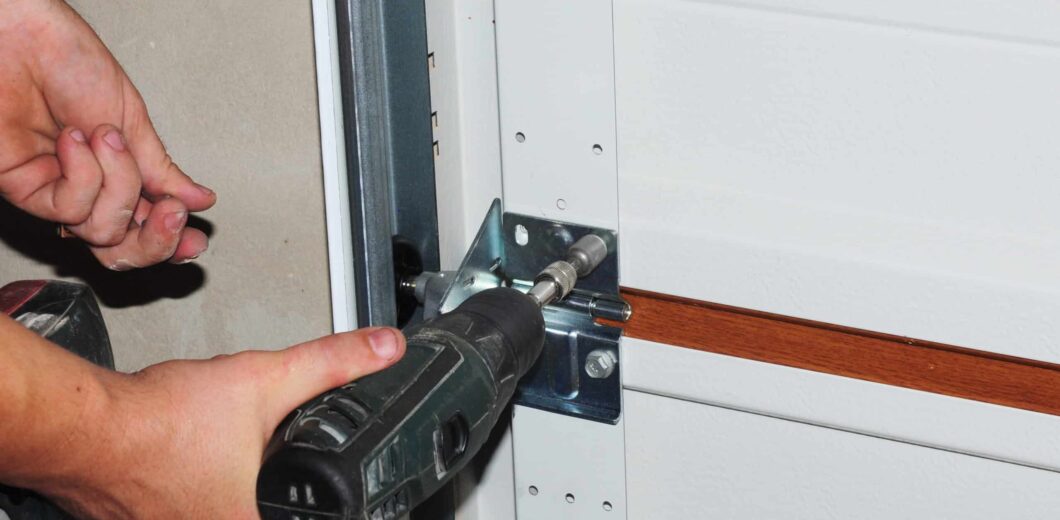
The opener installation itself benefits from a professional for the same safety and warranty reasons as a regular install. The smart-home pairing portion is usually app-guided and homeowner-friendly, but if pairing fails or the opener won’t show up in your ecosystem, that’s worth a service call rather than hours of troubleshooting.


Looking for a deal?
Call us or to learn about our current promotions and seasonal offers.


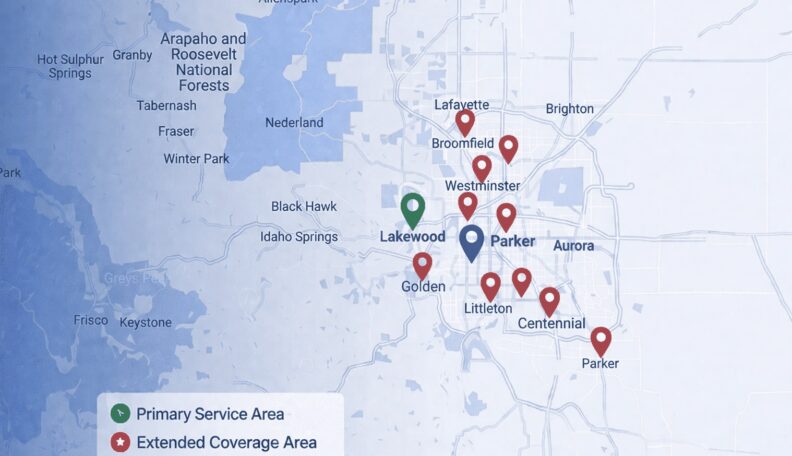
Service Area: 50+ Cities Across Metro Denver
Select Your Nearest Location
Hours: Mon-Fri 8am-5pm
Sunday Emergency Only
Avg Response Time: 18 minutes
Hours: Mon-Fri 8am-5pm
Sunday Emergency Only
Avg Response Time: 18 minutes
Hours: Mon-Fri 8am-5pm
Sunday Emergency Only
Avg Response Time: 18 minutes
Hours: Mon-Fri 8am-5pm
Sunday Emergency Only
Avg Response Time: 18 minutes
Hours: Mon-Fri 8am-5pm
Sunday Emergency Only
Avg Response Time: 18 minutes
Hours: Mon-Fri 8am-5pm
Sunday Emergency Only
Avg Response Time: 18 minutes
Hours: Mon-Fri 8am-5pm
Sunday Emergency Only
Avg Response Time: 18 minutes
Hours: Mon-Fri 8am-5pm
Sunday Emergency Only
Avg Response Time: 18 minutes
Hours: Mon-Fri 8am-5pm
Sunday Emergency Only
Avg Response Time: 18 minutes
Hours: Mon-Fri 8am-5pm
Sunday Emergency Only
Avg Response Time: 18 minutes
Hours: Mon-Fri 8am-5pm
Sunday Emergency Only
Avg Response Time: 18 minutes
Hours: Mon-Fri 8am-5pm
Sunday Emergency Only
Avg Response Time: 18 minutes
Hours: Mon-Fri 8am-5pm
Sunday Emergency Only
Avg Response Time: 18 minutes
Hours: Mon-Fri 8am-5pm
Sunday Emergency Only
Avg Response Time: 18 minutes
Hours: Mon-Fri 8am-5pm
Sunday Emergency Only
Avg Response Time: 18 minutes
We Service: Parker, Castle Rock, Greenwood Village, Lakewood, Littleton, Centennial, Highlands Ranch 40+ More Cities